
Best Ryobi Drill: Which ONE+ Cordless Drill Actually Deserves a Spot in Your Toolbox
Why Ryobi Drills Are Worth a Look
If you’ve spent any time browsing the power tool aisle, you already know Ryobi has a reputation. It’s the brand people either swear by or dismiss too quickly, and honestly, both reactions miss the point. Ryobi isn’t trying to compete head-to-head with the premium, contractor-grade lines from Milwaukee or DeWalt on every single spec sheet. Instead, it built something arguably more useful for the average homeowner, weekend renovator, or budget-conscious tradesperson: one of the largest cordless battery platforms in the industry, where a single 18V battery can power everything from a drill to a leaf blower to a shop light.
That ecosystem matters more than most buying guides give it credit for. When you’re deciding on a drill, you’re not just buying a drill. You’re buying into (or already own) a battery platform that determines what else you can add to your garage without spending money on batteries and chargers every single time. This is exactly why so many people searching for the best drills for DIY and pro use keep circling back to Ryobi’s ONE+ lineup, even after looking at flashier options.
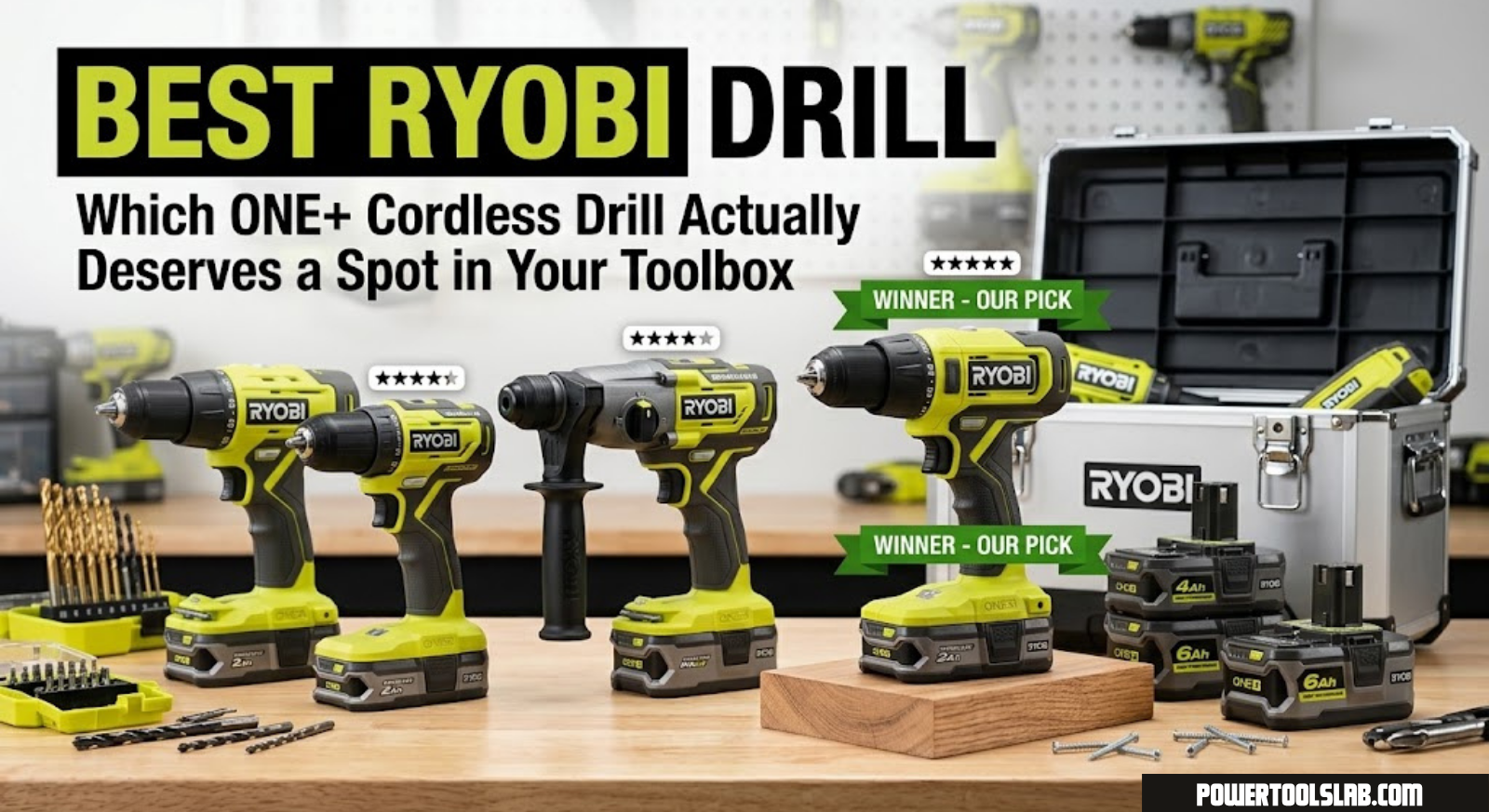
In this guide, we’re breaking down four standout Ryobi drills currently available, comparing their specs side by side, and helping you figure out which one actually fits the kind of work you do. We’ll also cover the battery platform, brushless motor technology, hammer drill functionality, and answer the most common questions people have before pulling the trigger on a purchase.
It’s also worth acknowledging upfront that “best” is a genuinely relative term when it comes to drills. The best drill for a retired homeowner who drills a dozen holes a year looks nothing like the best drill for someone renovating a rental property every weekend. Rather than crowning a single universal winner and calling it a day, we’ve structured this guide around matching specific drills to specific needs, because that’s ultimately a far more useful way to shop than chasing a generic “top pick” label that may not reflect how you’ll actually use the tool.
Ready to see current pricing and availability on our top pick?
Check Price on AmazonHow We Picked These Drills
We didn’t just grab four random Ryobi listings and call it a roundup. Each drill included here represents a distinct use case: a bare-tool option for existing battery owners, a complete beginner-friendly kit, a higher-torque hammer drill for masonry and tough materials, and a value-focused combo kit for people starting from zero. Our evaluation criteria included:
- Torque and power output — measured in inch-pounds (in-lbs), which determines how the drill handles dense materials like hardwood or concrete.
- Motor type — brushed versus brushless, and what that actually means for runtime and tool lifespan.
- Chuck size and clutch settings — how versatile the drill is across different bit sizes and torque-sensitive tasks like driving screws into drywall.
- Included accessories — batteries, chargers, bits, and carrying cases, since these add real dollar value to a kit purchase.
- Real-world ergonomics — weight, grip design, and balance during extended use.
If you’re still deciding between brands entirely, it’s worth reading our breakdowns on the best DeWalt drill, the best Milwaukee drill, and the best Makita drill for direct comparisons against Ryobi’s lineup.
We also weighed how each listing is typically sold, since Ryobi’s product pages can be inconsistent about what’s actually included in the box. A “drill kit” from one retailer might include a battery and charger, while a similarly named listing elsewhere ships as a bare tool. We’ve noted this clearly for each pick below so you’re not caught off guard at checkout, but it’s always worth double-checking the current listing details before purchasing, since retailers do update bundle contents periodically.
Quick Comparison Table
| Drill | Motor | Chuck | Best For | Includes Battery? |
|---|---|---|---|---|
| RYOBI ONE+ 18V PCL206B | Brushed | 1/2 in. | Existing ONE+ owners | No (tool only) |
| Ryobi 18V Drill Set with Bag | Brushed | 3/8–1/2 in. | First-time buyers, full kit | Yes |
| RYOBI ONE+ HP PBLHM101B | Brushless | 1/2 in. | Masonry, tough materials | Varies by listing |
| ONEAND 18V 2-Tool Combo Kit | Brushed | 1/2 in. | Budget starter kit | Yes |
Now let’s get into the details on each one, starting with the most straightforward option for anyone who already owns Ryobi batteries.
1. RYOBI ONE+ 18V Cordless 1/2in Drill/Driver PCL206B (Tool Only)

This is the drill to buy if you already have Ryobi ONE+ batteries sitting in a drawer somewhere. The PCL206B is sold as a bare tool, meaning no battery or charger, which keeps the price low and avoids the redundancy of paying for hardware you already own. It’s a smart pickup for anyone expanding an existing ONE+ setup, especially since Ryobi’s battery platform spans well over a hundred different tools at this point.
Despite the lower price point compared to full kits, the PCL206B doesn’t feel stripped down where it counts. It has a 1/2-inch chuck, a variable-speed trigger, and a 24-position clutch that lets you dial in exactly how much torque gets applied before the bit stops spinning, which is the feature that keeps you from stripping screw heads or blowing through drywall.
In everyday use, this drill feels like a lighter, more compact companion tool rather than a heavy-duty workhorse, and that’s by design. It’s meant to be the drill you grab for a quick task without wrestling with a bulkier hammer drill you don’t need for the job. The two-speed gearbox switches easily between a high-torque low range for driving screws and a faster high range for drilling smaller holes, and the transition between the two feels smooth rather than clunky, which isn’t always the case on budget-tier tools.
One small but appreciated detail is the belt clip, which lets you hang the drill from a tool belt or ladder rung between uses instead of setting it down somewhere you might forget it. For anyone doing repeated up-and-down trips on a ladder, that kind of small convenience adds up over the course of a project.
- Chuck size: 1/2 inch, single-sleeve keyless
- Clutch settings: 24 positions plus drill mode
- Speed range: Two-speed gearbox for drilling and driving
- Weight: Lightweight design suited to overhead and one-handed work
- Battery compatibility: Works with any Ryobi ONE+ 18V battery
Pros
- Affordable entry point if you already own ONE+ batteries
- Comfortable, well-balanced grip for extended use
- Reliable clutch precision for finish work
Cons
- No battery or charger included
- Brushed motor means slightly shorter runtime than brushless models
If you’re unsure whether a standard drill/driver or something with more punch fits your projects better, our guide on drill vs impact driver breaks down exactly when each tool shines.
See current stock and pricing for the PCL206B bare-tool drill.
Check Price on Amazon2. Ryobi 18V Drill Set with Lithium-Ion Battery, Charger, Bits & Bag

This is the kit most first-time buyers should actually start with, and it’s easy to see why once you total up what’s included. Rather than buying a bare tool and then separately sourcing a battery, charger, bit set, and case, this bundle rolls everything into one purchase. That’s a meaningful difference for anyone building a toolkit from scratch, since batteries and chargers alone often cost nearly as much as the drill itself.
The included lithium-ion battery charges noticeably faster than older nickel-cadmium packs, and it holds its charge in storage far better too, so you’re not stuck charging a dead battery every time you pick the drill back up after a few weeks of not using it. The bundled bit set covers most household drilling and driving tasks without needing a separate accessory purchase.
- Included: Drill/driver, lithium-ion battery, charger, bit set, carrying bag
- Chuck size: Keyless, accommodates standard bit shanks
- Ideal use: General household repairs, furniture assembly, light construction
- Storage: Included bag keeps accessories organized between projects
Pros
- Everything you need in a single box, no extra purchases required
- Great value for beginners building a first toolkit
- Lithium-ion battery holds charge well in storage
Cons
- Included bits are functional but not premium-grade
- Single battery means downtime while it recharges on longer projects
Not sure whether cordless is even the right call for your situation? Our comparison on corded vs cordless drills walks through the tradeoffs in detail.
One thing worth pointing out about this kit specifically is how it handles the transition from unboxing to actual use. A lot of starter kits look great in photos but leave you fumbling to figure out which bit goes where, or worse, shipping with a battery that needs an eight-hour initial charge before you can even test the tool. This set generally ships with a battery that’s ready to go after a normal charge cycle, and the included bag keeps loose bits from disappearing into a junk drawer within the first week, which is a bigger deal than it sounds like for anyone who’s lost a favorite driver bit down the side of a couch cushion.
The carrying bag itself deserves a mention too. It’s soft-sided rather than a hard case, which keeps the overall kit lighter and easier to toss in a car trunk, but it also means it won’t offer the same crush protection a molded case would if you’re tossing it around a jobsite daily. For home use, garage storage, or the occasional trip to a rental property for repairs, that tradeoff makes sense. If you need something more rugged for daily transport, it’s worth checking whether a hard-case version of a similar kit is available before buying.
From a value standpoint, this is usually the kit we point first-time buyers toward when they ask where to start. You’re not overpaying for features you won’t use, and you’re not underequipped for the basic tasks most homeowners actually run into, like hanging shelves, assembling furniture, or replacing a deck board.
This complete kit is one of the easiest ways to start a Ryobi toolkit from scratch.
Check Price on Amazon3. RYOBI ONE+ HP 18V Brushless Cordless 1/2 in. Hammer Drill/Driver – PBLHM101B

This is the drill to reach for when regular drilling just isn’t cutting it, whether that’s because you’re working into brick, block, or dense concrete. The “HP” in the name stands for High Performance, and it’s not just marketing language. This model steps up to a brushless motor, which is a genuinely significant upgrade over the brushed motors found in Ryobi’s entry-level drills.
Brushless motors run cooler, last longer, and deliver noticeably more torque per charge because there’s less energy lost to friction inside the motor housing. Combine that with the hammer function, which adds a rapid forward-and-back pulsing action to the rotation, and you get a tool that can chew through masonry that would stall a standard drill/driver entirely.
- Motor: Brushless, high-performance
- Chuck size: 1/2 inch, all-metal
- Modes: Drill, driver, and hammer drill functions
- Best suited for: Masonry, concrete anchors, tile backer board, dense hardwoods
Pros
- Brushless motor means longer tool lifespan and better efficiency
- Hammer function opens up masonry and concrete work
- Noticeably more torque than the standard PCL206B
Cons
- Higher price point than standard drill/driver models
- Heavier in the hand due to added internal components
Curious how Ryobi’s hammer drill stacks up against Bosch’s offerings? Take a look at our best Bosch drill roundup for a side-by-side perspective.
It’s worth being clear about what “hammer drill” means here versus a rotary hammer or SDS-style tool. This is a percussion-style hammer drill, meaning it adds a hammering action layered on top of the normal rotational drilling motion, which is ideal for drilling anchor holes in brick, block, mortar joints, and general masonry. It is not a substitute for a true SDS rotary hammer if you’re doing heavy-duty concrete demolition or large-diameter holes in reinforced concrete on a regular basis. For anchoring shelving brackets, mounting a security camera to a brick exterior, or setting concrete screws for a patio structure, though, this tool handles the job without needing to rent or buy a dedicated rotary hammer.
We also want to flag the ergonomics here specifically, since a heavier tool changes how it feels during a full afternoon of work. The added weight from the brushless motor and hammer mechanism is noticeable when you pick it up next to the standard PCL206B, but it’s distributed well enough that it doesn’t feel front-heavy or awkward during horizontal drilling. Overhead work is where you’ll feel the extra mass the most, so if your projects involve a lot of ceiling or high-wall drilling, factor that into your decision, or consider using a support strap during extended sessions.
Battery drain is another consideration with hammer drilling specifically, since the hammering action pulls more current than standard rotation alone. If you’re planning a day of anchor installation, having a second battery on hand (or a higher Ah-rated single battery) will save you from mid-project downtime waiting for a charge.
See pricing on the brushless hammer drill built for tougher materials.
Check Price on Amazon4. ONEAND 18V Cordless 2-Tool Combo Kit with Drill

Rounding out the list is this budget-friendly combo kit, which pairs a drill/driver with a second tool (commonly an impact driver or similar accessory tool depending on the bundle) for buyers who want two tools without doubling up on the cost of batteries. If you’re setting up a garage from scratch and want to knock out two tool purchases in a single transaction, this is the practical choice.
It won’t out-torque the HP hammer drill, and it doesn’t come with the brand recognition of the core Ryobi ONE+ badge on every listing, but for basic household tasks, furniture assembly, and light DIY projects, it gets the job done without straining a tight tool budget.
Buyers considering this kit should pay close attention to the exact listing details before purchasing, since combo kits like this one can vary in what the second tool actually is depending on the retailer and bundle version. Always confirm battery voltage, included accessories, and whether a charger is bundled before checking out, since combo kit contents are more prone to variation than single-tool listings from the core Ryobi ONE+ lineup.
That said, for the price point this kit typically lands at, getting two functional cordless tools with a battery and charger included is a genuinely strong deal for anyone who doesn’t already own any cordless tools and wants to avoid a large upfront investment before knowing whether they’ll use them regularly.
- Included: Drill/driver, second tool, battery, charger (confirm exact contents on the listing before buying)
- Chuck size: 1/2 inch keyless
- Ideal use: Light DIY, household repairs, starter toolkits
Pros
- Two tools for close to the price of one premium drill
- Good starting point for a first-time cordless toolkit
Cons
- Not built for heavy-duty or daily professional use
- Fewer torque settings compared to higher-tier Ryobi models
A practical two-tool starter kit for anyone building a toolbox on a budget.
Check Price on AmazonHow Ryobi Compares to Other Major Drill Brands
It’s easy to get tunnel vision when comparing drills within a single brand, so it’s worth stepping back and looking at where Ryobi fits into the broader power tool landscape. The short version: Ryobi occupies the value-focused end of the cordless spectrum, competing less on raw performance and more on price-per-tool and the breadth of its battery ecosystem.
Compared to DeWalt’s drill lineup, Ryobi tools are generally lighter on the wallet but also lighter on sustained torque output and build ruggedness. DeWalt’s 20V MAX platform is built with daily jobsite abuse in mind, with metal gear housings and higher-rated motors designed to survive years of contractor use. Ryobi’s ONE+ platform, by contrast, is engineered primarily for homeowners and DIYers who need reliable performance without daily heavy-duty demands.
Against Milwaukee’s M18 lineup, the gap widens further. Milwaukee targets electricians, plumbers, and full-time trade professionals, with drills that push significantly higher torque figures and motor durability ratings, at a proportionally higher price. If your livelihood depends on your tools surviving a drop from a ladder or running eight hours a day, five days a week, Milwaukee is generally the safer long-term investment, even with the higher upfront cost.
Makita’s cordless drills sit somewhere in between, known for smooth, refined motor control and a strong reputation in woodworking circles, but again at a price point above Ryobi’s typical offerings. And Bosch’s drill lineup leans toward precision engineering with a European design sensibility, often favored by users who prioritize consistency and control over sheer power output.
None of this makes Ryobi a worse choice for its target buyer. If you’re drilling a few pilot holes a month, assembling furniture, hanging pictures, or handling the occasional home repair, paying a premium for contractor-grade durability you’ll never actually test is money better spent elsewhere. The right brand depends entirely on how hard and how often you’re going to use the tool.
Understanding the ONE+ Battery Platform
One of the biggest reasons Ryobi keeps showing up in budget-conscious buying guides is the sheer size of its ONE+ battery ecosystem. A single 18V battery works across drills, saws, blowers, string trimmers, shop vacuums, and even some outdoor lighting products. If you already own any Ryobi tool, buying a bare-tool drill instead of a full kit can save real money since you’re not paying for a battery and charger you don’t need.
That said, battery capacity matters. Ryobi batteries typically come in a range of amp-hour (Ah) ratings, and higher Ah batteries run longer between charges but also weigh more and cost more upfront. For most household drilling and driving tasks, a mid-range battery in the 2.0–4.0 Ah range strikes a reasonable balance between runtime and weight.
It’s also worth understanding that Ryobi periodically updates its battery lineup, and newer high-capacity packs are generally backward compatible with older tools, while older, lower-capacity batteries remain compatible with newer tools as well. This cross-compatibility is part of what makes the platform appealing over time: a battery purchased years ago for one tool will very likely still work with a drill you buy today, and vice versa. Chargers follow the same logic, with most standard ONE+ chargers working across the full range of ONE+ batteries regardless of when either was purchased.
For anyone weighing whether to invest more heavily in additional batteries versus additional tools, a reasonable rule of thumb is to have at least two batteries in rotation if you’re using cordless tools regularly. That way, one battery can charge while the other stays in use, which avoids the frustrating mid-project pause of waiting on a single battery to refill.
Brushed vs Brushless Motors: Does It Actually Matter?
Every drill on this list uses either a brushed or brushless motor, and the difference genuinely affects how the tool performs over time. Brushed motors use physical carbon brushes to transfer electrical current, which creates friction, generates heat, and eventually wears down, requiring replacement or leading to reduced performance. Brushless motors use electronic circuitry instead, which means less friction, less heat, and a longer working lifespan.
In practical terms, a brushless drill like the ONE+ HP PBLHM101B will typically deliver more torque per battery charge and run cooler during extended use compared to a brushed model like the PCL206B. The tradeoff is cost. Brushless tools carry a price premium, which is why Ryobi still sells brushed models for buyers who don’t need the extra performance for occasional household tasks.
There’s also a lifespan argument worth considering beyond raw performance. Brushed motors wear down gradually as the carbon brushes make contact with the commutator, and eventually that contact degrades enough to affect performance or stop the motor from running altogether. Depending on usage, that could mean anywhere from a few years to a decade of service life for a brushed drill used around the house. Brushless motors sidestep this entirely since there’s no physical brush contact to wear out, which is part of why brushless tools are often marketed with a longer expected working life. For someone who drills a handful of holes a month, this difference may never actually surface as a real-world problem. For someone using their drill weekly for ongoing projects, it becomes a more relevant factor in the buying decision.
Efficiency is the other piece of the brushless conversation. Because brushless motors lose less energy to friction and heat, they tend to draw power more efficiently from the battery, which translates to more work completed per charge. If you’ve ever noticed a brushed drill’s battery seeming to drain faster than you’d expect during a long project, some of that is simply the inherent inefficiency of the brushed design, not necessarily a battery health issue.
Hammer Drill vs Standard Drill/Driver
A standard drill/driver rotates the bit in a continuous circular motion, which works fine for wood, drywall, and most metal drilling. A hammer drill adds a secondary hammering action, rapidly pulsing the bit forward while it spins, which helps break through brittle, dense materials like brick, block, and concrete far more efficiently than rotation alone.
If your projects rarely go beyond wood framing, cabinetry, or drywall, a standard drill/driver like the PCL206B or the drill set with bag will handle everything you need. If you’re anchoring anything into masonry or concrete, whether that’s mounting a TV bracket into a brick wall or installing deck ledger anchors, the hammer function on the PBLHM101B earns its higher price tag.
It’s also worth noting that running a hammer drill in hammer mode when you don’t need it isn’t a great habit to get into. The pulsing action adds unnecessary vibration and wear when drilling into wood or metal, where a smooth rotational bore is both faster and easier on the bit. Most hammer drills, including the PBLHM101B, include a selector to toggle hammer mode on or off, so treat it as a dedicated setting for masonry rather than a default drilling mode.
Bit selection matters just as much as the tool itself here. Standard twist bits and spade bits are designed for wood and light metal, and they will dull quickly or fail outright against masonry. Make sure you’re pairing any hammer drilling task with carbide-tipped masonry bits specifically rated for concrete or brick, since using the wrong bit type is one of the most common reasons people assume their hammer drill “isn’t working” when the real issue is bit mismatch.
Buying Guide: What Actually Matters When Choosing a Ryobi Drill
Torque and Clutch Settings
Torque, measured in inch-pounds, determines how much rotational force the drill can apply before stalling. More torque means faster driving through dense materials, but too much torque without a proper clutch can strip screws or split wood. Look for a drill with at least 15–24 clutch positions so you can fine-tune torque output for different materials.
Chuck Size and Type
All four drills on this list use a 1/2-inch keyless chuck, which is the standard for household and light professional use. A 1/2-inch chuck accepts a wider range of bit shank sizes than the smaller 3/8-inch chucks found on some lighter-duty drills.
Battery Included or Bare Tool
If this is your first cordless tool purchase, buy a kit that includes a battery and charger. If you already own ONE+ batteries, a bare tool purchase saves money without sacrificing performance.
Included Accessories and Real Value
When comparing prices across listings, don’t just look at the sticker price of the tool itself. A kit that includes a battery, charger, driver bits, and a carrying case can represent significantly more total value than a slightly cheaper bare-tool listing, even if the upfront number looks smaller. Break down what’s actually included and estimate what it would cost to buy those components separately before deciding which listing is the better deal.
Weight and Ergonomics
Drills used for overhead work or extended sessions should feel balanced in the hand. Brushless and hammer-drill models tend to run slightly heavier due to additional internal components, which is worth considering if you’ll be using the tool above shoulder height often.
Speed Settings and Gearboxes
Most Ryobi drills in this lineup offer a two-speed gearbox, typically a low-speed, high-torque setting for driving screws or drilling into dense material, and a high-speed, lower-torque setting for drilling smaller holes quickly through softer material like pine or drywall. Understanding when to use each setting makes a real difference in both drilling speed and bit longevity. Running a large spade bit at high speed through hardwood, for example, tends to burn the bit and overheat the motor unnecessarily, while low-speed settings keep things controlled and reduce wear.
LED Work Lights
Several Ryobi drills include a small LED light positioned near the chuck that illuminates automatically when the trigger is pulled. It’s a small feature that rarely makes it onto a spec sheet comparison, but it matters a lot more than expected once you’re working inside a cabinet, under a sink, or in a dim garage corner without easy access to a separate work light.
Warranty and Support
Ryobi typically backs its tools with a multi-year limited warranty, and registering your tool after purchase is worth doing since it can extend coverage in some cases. Keep your receipt and the original packaging until you’ve confirmed the tool is functioning as expected, particularly with bare-tool purchases where return policies can differ from full kit purchases.
Maintenance and Longevity Tips
- Store batteries at room temperature and avoid leaving them fully depleted for long periods.
- Clean dust and debris from the chuck regularly, especially after drilling into drywall or masonry.
- Avoid pressing too hard into the material; let the torque and bit do the work rather than forcing the tool.
- If you notice unusual heat, smell, or reduced power, don’t keep pushing through the task. Check out our guide on why is my drill smoking for troubleshooting steps.
- New to cordless drills entirely? Our walkthrough on how to use a drill covers proper technique from the ground up.
A drill that’s properly maintained will outlast one that’s neglected by a significant margin, and most of the maintenance required is genuinely minimal. Wiping down the tool after dusty jobs, keeping the battery contacts clean and dry, and avoiding the temptation to use the drill as a makeshift hammer or pry bar all go a long way toward extending its usable life. Batteries in particular are often the first component to degrade on a cordless tool, and how you store them matters more than most people realize. Extreme heat, such as leaving a battery in a hot car during summer, accelerates capacity loss significantly faster than normal usage cycles would.
If you do eventually run into reduced runtime or a battery that won’t hold a charge the way it used to, that’s typically a battery issue rather than a tool issue, and replacement batteries are sold separately across the ONE+ lineup without needing to replace the drill itself.
Real-World Use Case Scenarios
Spec sheets only tell part of the story, so it helps to walk through a few realistic scenarios and match them against the drills covered above.
Scenario 1: Assembling Flat-Pack Furniture
This is one of the most common reasons people buy their first cordless drill. You need consistent, controlled torque to drive small screws into particleboard or MDF without stripping the pre-drilled holes or blowing through the material. Any of the four drills here handle this task without issue, but the Ryobi 18V Drill Set with Bag is the most logical pick since it comes with everything needed out of the box, including bits sized appropriately for typical furniture hardware.
Scenario 2: Mounting a TV or Shelving on a Drywall Wall
Standard drywall anchors and wood stud mounting only require a standard drill/driver with reasonable torque control. The PCL206B or the included drill in the starter kit both handle this comfortably. Just make sure to use a stud finder first and adjust the clutch setting to avoid over-driving anchor screws.
Scenario 3: Installing a Security Camera or Address Sign on a Brick Exterior
This is where the hammer function becomes genuinely necessary rather than a nice-to-have. Standard drill/drivers will struggle or fail entirely to make clean holes in solid brick or mortar. The PBLHM101B’s hammer function combined with the appropriate masonry bit makes quick work of this task where a standard drill would stall out or overheat trying to force its way through.
Scenario 4: Building a Garden Bed or Outdoor Wood Structure
Outdoor lumber projects often involve driving longer screws into denser, sometimes damp wood, which benefits from higher torque output. The brushless HP hammer drill handles this with less strain than the entry-level models, though the standard drill/driver kits can still manage smaller-scale outdoor projects like garden beds or fence repairs without much trouble.
Scenario 5: Starting a First Home Toolkit on a Tight Budget
If you’re equipping a first apartment, starter home, or garage workshop and need broad functionality without spending heavily upfront, the ONEAND 18V 2-Tool Combo Kit offers the most tools per dollar, even if it means sacrificing some torque and refinement compared to the higher-end options.
Who Should Buy Which Drill
| If you are… | Best pick |
|---|---|
| Already own Ryobi ONE+ batteries | RYOBI ONE+ 18V PCL206B (Tool Only) |
| Starting a toolkit from scratch | Ryobi 18V Drill Set with Bag |
| Working with brick, block, or concrete | RYOBI ONE+ HP Hammer Drill PBLHM101B |
| On a tight budget, want two tools | ONEAND 18V 2-Tool Combo Kit |
It’s also fair to say that most households will eventually end up owning more than one of these tools over time, rather than a single drill covering every possible need forever. Starting with the drill set that matches your most frequent tasks, then adding a hammer drill later if a masonry project comes up, is a perfectly reasonable way to build out a toolkit gradually rather than overbuying upfront for a scenario that may never happen.
Frequently Asked Questions
Is Ryobi a good brand for drills?
Yes, for most household, DIY, and light professional use, Ryobi drills offer strong value. They’re not typically marketed toward daily heavy-duty jobsite use the way Milwaukee or DeWalt professional lines are, but for the price, the performance is hard to beat.
Do all Ryobi ONE+ batteries fit every Ryobi drill?
Yes. Any Ryobi ONE+ 18V battery is compatible with any ONE+ tool, including every drill on this list, regardless of when the battery or tool was manufactured within the ONE+ lineup.
What’s the difference between the PCL206B and the PBLHM101B?
The PCL206B is a standard brushed drill/driver, while the PBLHM101B is a brushless hammer drill with added masonry-drilling capability and typically more torque output.
Do I need a hammer drill for regular household projects?
Usually not. A standard drill/driver handles wood, drywall, and most metal drilling fine. A hammer drill is only necessary if you’re drilling into brick, block, or concrete.
How long does a Ryobi 18V battery last on a single charge?
This varies based on battery capacity (Ah rating) and the intensity of use, but most mid-range batteries provide enough runtime for several hours of intermittent household drilling and driving tasks between charges.
Is it better to buy a bare tool or a full kit?
If you already own ONE+ batteries and a charger, buying a bare tool saves money. If this is your first Ryobi purchase, a full kit is almost always better value since batteries and chargers are expensive to buy separately.
Can Ryobi drills handle professional or daily jobsite use?
They can handle moderate daily use, but for high-volume, all-day professional applications, tool lines built specifically for contractors, such as the ones covered in our best Milwaukee drill guide, are generally a better long-term investment.
What size chuck do I need?
A 1/2-inch chuck, which all four drills on this list use, covers the vast majority of household and light professional bit sizes and is the safer default choice over a smaller 3/8-inch chuck.
Why does my drill get hot during use?
Some heat buildup is normal during extended use, especially with brushed motors. Excessive heat, smoke, or a burning smell is not normal and usually signals overloading, a failing motor, or a jammed chuck. See our guide on why is my drill smoking for details.
Should I choose a drill or an impact driver?
Drills are better for precision drilling and controlled driving with a clutch, while impact drivers deliver more raw driving power for long screws and lag bolts. Our drill vs impact driver comparison breaks this down in more detail.
Is Ryobi good enough for occasional professional use?
For light trade work, side jobs, or maintenance tasks that don’t demand all-day durability, Ryobi holds up reasonably well. For daily, high-volume professional use, a dedicated trade-grade platform such as Milwaukee or DeWalt is typically the more durable long-term investment.
What’s the difference between drill mode and driver mode?
Drill mode disables the clutch and runs the chuck at full torque continuously, which is meant for drilling holes. Driver mode engages the adjustable clutch, which stops rotation once a preset torque threshold is reached, preventing over-driving or stripping screws.
Can I use a Ryobi drill in the rain or wet conditions?
Ryobi’s standard cordless drills are not rated for wet or heavy moisture exposure. Avoid using them in rain or highly humid outdoor conditions, and always store batteries in a dry location to prevent corrosion on the contacts.
Final Verdict: Which Ryobi Drill Should You Buy?
If you’re already invested in the Ryobi ONE+ ecosystem, the PCL206B bare tool is the most cost-effective way to add another drill to your setup. If you’re starting from zero, the full drill set with battery, charger, bits, and bag gives you everything needed to get to work immediately. For masonry and tougher materials, the brushless HP hammer drill is worth the upgrade, and if budget is the deciding factor while still wanting two tools, the ONEAND combo kit is a sensible starting point.
Whichever option fits your project list, all four represent solid entries into Ryobi’s dependable, widely compatible battery platform.
Before you check out, take one more look at what you actually need the drill for over the next year or two, not just the project sitting in front of you today. A slightly higher upfront investment in the hammer drill can save you from buying a second tool down the line if masonry work ends up on your list, while the standard kits remain the smarter, more cost-effective choice for anyone whose projects will realistically stay centered on wood, drywall, and general household repairs.
Check Current Price on Amazon